


Climate & Comfort Analysis with LadyBug
NOTE: The patches available for download use Honeybee & Ladybug 0.0.61 version Feb 05 2017. Using different version could cause problems. In that case it is strongly recommended to rebuild the patches with the owned version
CLIMATE ZONE IDENTIFICATION
To design a building able to preserve the environment and exploit the available natural resources the first thing to do is the knowledge of the climate zone in which the building will be located.
Internationally, the Koppen-Geiger Climate Classification is the most diffuse system which offers us specific indications covering the whole world.
https://en.wikipedia.org/wiki/Köppen_climate_classification
According to the detected climate zone it will then be possible to select, from the scientific literature, the most appropriate design strategies. (see M. DeKay, G.Z. Brown, Sun, Wind & Light, Wiley III ed. 2013).
Another system is the ASRHAE classification system, developed in the USA, that can be extended by analogy to other parts of the world.
https://www.wbdg.org/resources/building-enclosure-design-principles-and-strategies
In this case, for each climatic zone, the ASHRAE Agency has defined corresponding technological solutions for the building envelopes that are also present, by default, in the majority of energy software. As the design strategies have been identified, this second method can therefore be useful for detailing the technological solutions of the project.
The climate zone can easily be determined using the following Grasshopper-Honeybee patch
https://mailab.biz/wp-content/uploads/4.GRASSHOPPER_PATCHES/01.HBCLIMATE_ZONE_DEFINITION_.gh
CLIMATE & COMFORT ANALYSIS
For a more detailed analysis about Weather, Sun geometry, Wind and Comfort use the following LadyBug-Grasshopper patches.
Ladybug is a free and open source environmental plugin for Grasshopper to help designers create an environmentally-conscious architectural design. The initial step in the design process should be the weather data analysis; a thorough understanding of the weather data will, more likely, lead designers to high-performance design decisions.
Ladybug imports standard EnergyPlus Weather files (.EPW) in Grasshopper and provides a variety of 2D and 3D designer-friendly interactive graphics to support the decision-making process during the initial stages of design. The tool also provides further support for designers to test their initial design options for implications from radiation and sunlight-hours analyses results. Integration with Grasshopper allows for an almost instantaneous feedback on design modifications, and as it runs within the design environment, the information and analysis is interactive.
01.WEATHER DATA & BASIC COMFORT CONDITIONS ANALYSIS –Download–- [Explanatory video on this patch ]
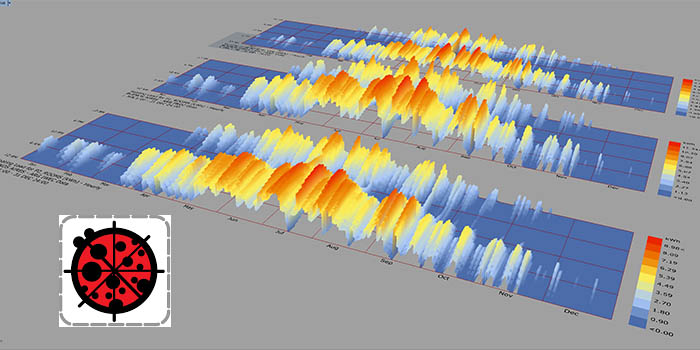
This patch makes it possible to visualize climate values (such as temperatures, humidity,…) of a specific location based on .epw file containing hourly standardized weather data. Based on this data, the program gives back a simplified visualisation of comfort periods (year, season, days, hours).
02.SUN PATH ANALYSIS & TEMPERATURE–Download– [Explanatory video on this patch ]
This patch makes it possible to visualize solar geometry integrated with outdoors temperatures of a specific location based on .epw file
03.PSYCHROMETRIC CHART ANALYSIS–Download– [Explanatory video on this patch ]
This patch makes it possible to visualize adaptive comfort and passive design strategies for a specific location based on .epw file
04. ADAPTIVE & STANDARDIZED THERMAL COMFORT ANALYSIS–Download– [Explanatory video on this patch ]
This patch makes it possible to visualize comfort conditions for a specific location using different methods and, among others, the Standard Universal Thermal Climate Index
05. ENVIRONMENTAL INDOOR REQUIREMENTS–Download– [Explanatory video on this patch ]
This patch makes it possible to visualize comfortable indoor temperatures and humidity values for a specific location using the users’ satisfaction method
06. WIND-ROSE ANALYSIS–Download– [IT Explanatory video on this patch ] [EN Explanatory video on this patc pass:mQvFBQd7]
This patch makes it possible to visualize characteristics of winds (such as direction, speed, frequency) for a specific location based on .epw file and to restrict the analysis to hot/cold periods of the year
link
How to install LadyBug and HoneyBee libraries. Tutorials and guides
Energy modeling with Grasshopper. Tutorials playlist
Grasshopper basics. Tutorials from the program developer
How to set the appropriate analysis period and users’requirements